
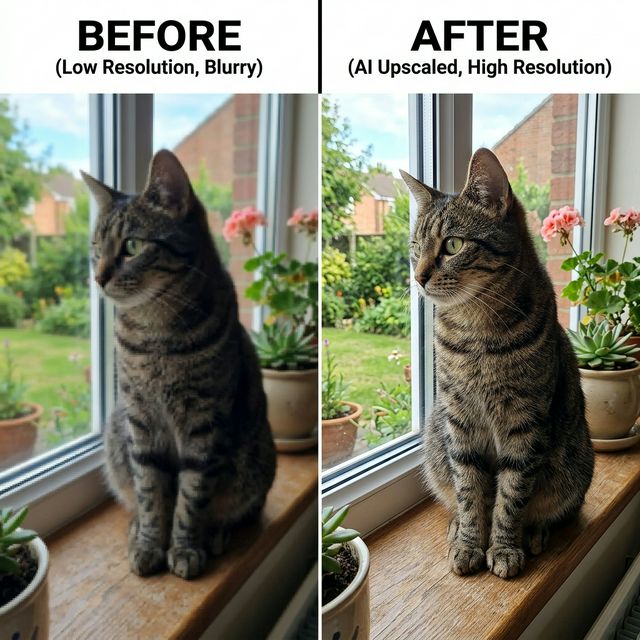
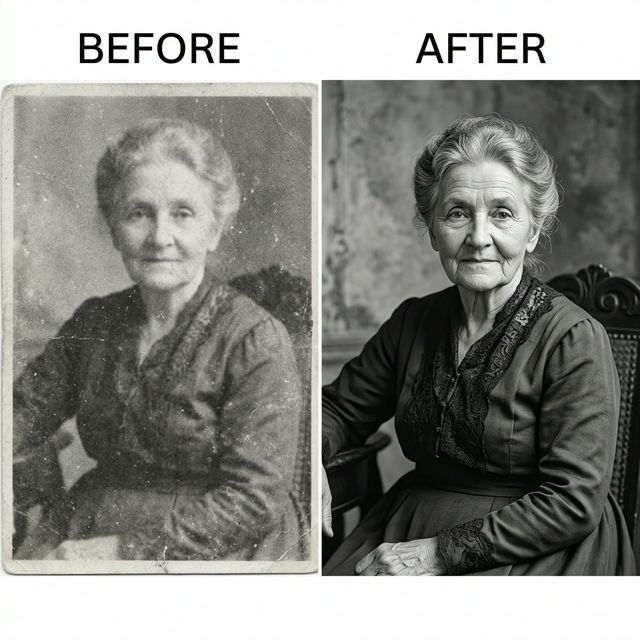
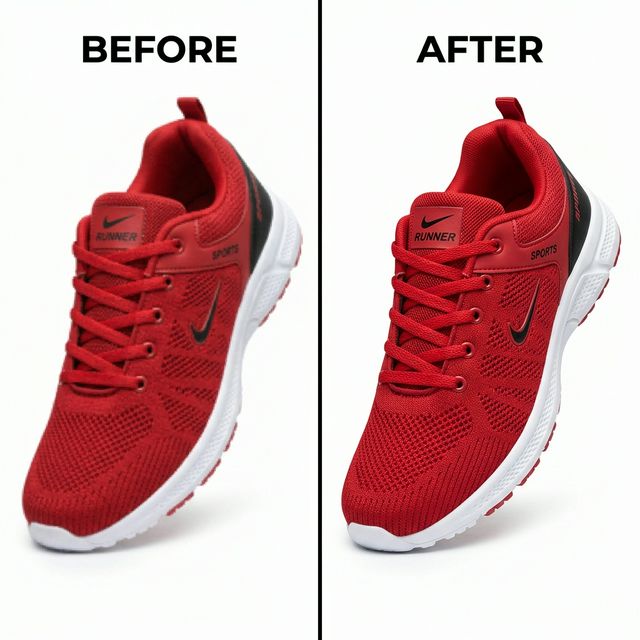
Have you ever tried to print a favorite photo only to find it looks pixelated and blurry? Or downloaded a small image from the web that lost all its detail when you enlarged it?
Traditional image resizing tools fail because they simply stretch existing pixels, creating a soft or blocky result. An AI image upscaler solves this problem. By using neural networks, you can increase image resolution and enhance image quality without the usual quality loss.
At AllImageTools, we provide a free AI photo enhancer that works directly in your browser. Whether you want to upscale images online for social media, e-commerce, or professional printing, our tool delivers clear results. You can also use our photo editor for further adjustments or our image resizer for custom dimensions.
What is an AI image upscaler?
Definition: An AI image upscaler is a tool that uses deep learning models — such as Super-Resolution Convolutional Neural Networks (SRCNN) or Generative Adversarial Networks (GANs) — to enlarge images without losing quality. Unlike standard interpolation, AI reconstructs missing pixels to create sharp, high-resolution versions of low-res originals.
How AI image upscaling works
Traditional resizing uses algorithms like Bicubic or Lanczos interpolation. These methods calculate average colors to fill gaps between pixels. The result is almost always a blurry image because the algorithm doesn't understand what a face, text, or texture should look like.
Our AI image upscaler uses Real-ESRGAN, a model trained on millions of low-resolution and high-resolution image pairs. It recognizes patterns, textures, and edges. When you upload a blurry photo, the AI fills in realistic detail — effectively sharpening blurry images and reconstructing the information that was lost.
Increase image resolution without losing quality
- 🚀 Professional Quality: Get results that used to require expensive desktop software like Photoshop.
- 🕒 Time-Saving: No need to manually retouch or recreate low-res graphics — the AI does it in seconds.
- 💰 100% Free: Access high-end technology without a subscription or per-image credits.
- 🛡️ Privacy First: 100% client-side processing means your data stays on your device.
Fix blurry and pixelated photos
Blurry photos happen for many reasons — low-light conditions, camera shake, heavy compression, or simply low resolution. Standard tools can't recover lost detail. They only stretch what's already there.
Our blurry image enhancer uses AI to reconstruct edges, textures, and fine detail that traditional resizing destroys. Whether you need to fix a blurry photo from an old phone or repair a compressed JPG, the AI analyzes the image and restores clarity. For basic edits before upscaling, try our photo editor.
AI image upscaler vs image resizer
| Feature | Traditional Resizer | AllImageTools AI Upscaler |
|---|---|---|
| Method | Mathematical Stretching | Neural Network Reconstruction |
| Detail Retention | Loses detail, becomes blurry | Adds/restores realistic detail |
| Noise Reduction | Often amplified | Intelligently removes artifacts |
| Best For | Downscaling (Making smaller) | Upscaling (Making larger) |
Need to resize an image to specific dimensions instead? Use our image resizer for exact width and height control.
Step-by-Step: How to Upscale an Image Online
Upload Your Image
Click the upload box or drag and drop your JPG, PNG, or WebP file. We recommend starting with the cleanest possible low-res version for best results.
Wait for AI Processing
The tool defaults to a 4x increase. The AI model loads and processes your image — turning a small thumbnail into a high-resolution output.
Download Your Enhanced Photo
Preview the before and after versions, then download the upscaled image. Your new image resolution enhancer result is ready to use.
Best uses for an AI image upscaler
Social Media & Content Creation
Instagram, TikTok, and YouTube favor high-quality visuals. Use our tool to enhance photo quality for profile pictures, stories, and posts. Even photos taken in low light or on an older phone can look sharper after AI upscaling. Need a specific size? Try our YouTube thumbnail resizer.
E-commerce & Product Photography
Blurry product photos reduce trust and hurt conversions. If you only have small supplier images, use our image resolution enhancer to create high-quality zoomable images for your Shopify or Amazon store.
Printing & Merchandise
Printing requires high DPI. An 800px image on a T-shirt results in a blocky mess. With 4x upscaling, you can reach the resolution needed for posters, shirts, and business cards without the stretching effect.
Old Photo Restoration
Scan old 2×3 photos and use the AI photo enhancer to bring out details in eyes, hair, and clothing that seemed lost. It works well for restoring images from the pre-digital era. You can also use our background remover to clean up scanned photos.
Digital Art & Gaming
Artists often work on smaller canvases to save system memory. After finishing, use the AI upscaler to generate a large, printable version. It also works well for upscaling retro game screenshots into modern desktop wallpapers.
Supported image formats
Our tool supports all major web formats so you can increase image resolution regardless of your source file:
- PNG: Best for graphics with transparency and logos.
- JPG/JPEG: The standard for photographs. Our AI reduces JPG compression artifacts during upscaling.
- WebP: The modern web standard with full transparency support.
- BMP: Legacy lossless format also supported.
Need to convert formats? Use our image to JPG converter or JPG to WebP converter before or after upscaling.
Is AI image upscaling safe?
When you use an AI image upscaler online, security is a valid concern. Many free tools upload your photos to their servers, where they might be stored or used for training.
AllImageTools is different. We use client-side ML. The AI photo enhancer model is downloaded to your browser, and all processing happens using your computer's hardware (GPU/CPU). Your images never leave your device.
No Signup
Start instantly
No Watermarks
Clean exports
No Subscription
Always free
No Privacy Risks
100% client-side
Feature Comparison Table
| Feature | Free Version | Competitors |
|---|---|---|
| Max Upscale | 4x (Up to 4K/8K) | Often 2x for free |
| Watermark | None | Mandatory on free tier |
| Processing Location | Local (Browser) | Cloud (Server) |
| Registration | Not required | Email required |
Frequently asked questions
Is this 8K photo enhancer free?▼
Yes, this 8K photo enhancer is completely free. There are no hidden fees, no watermarks, and no signup required. The AI model runs in your browser using your device's hardware, so we can offer unlimited upscaling at no cost. Upload any JPG, PNG, or WebP image and download the enhanced result.
Can I upscale an image to 8K online?▼
Yes. Our AI image upscaler increases resolution by 4x. A 1920×1080 image becomes 7680×4320, which is 8K resolution. The tool works entirely in your browser — no server upload needed. Results depend on the quality of the original image.
Does AI upscaling improve photo quality?▼
Yes. Unlike standard resizing that stretches pixels and creates blur, AI upscaling uses deep learning to reconstruct missing detail. Our tool uses Real-ESRGAN to sharpen edges, reduce noise, and restore textures — producing a genuinely sharper image, not just a larger one.
Can I increase image resolution without losing quality?▼
Yes. Traditional resizing causes blurriness because it uses mathematical interpolation. Our AI image upscaler has been trained on millions of image pairs and reconstructs fine details like textures, edges, and text — letting you increase image resolution while keeping the photo sharp.
Which image formats are supported?▼
We support JPG, PNG, WebP, and BMP formats. PNG and WebP preserve transparency during upscaling. JPG files benefit from the AI's ability to reduce compression artifacts. You can download the result in the same format or choose a different one.
Are my images uploaded to a server?▼
No. All processing happens locally in your browser using WebGPU and WASM. Your images never leave your device and are never stored on any server. This client-side approach keeps your photos completely private and secure.
Why does the AI model take time to load?▼
The first run downloads a ~64MB AI model to your browser. This usually takes 30–60 seconds depending on your internet speed. After the first load, the model is cached and subsequent upscales are faster. For best performance, use Chrome or Edge on desktop.
What browser works best for AI upscaling?▼
Chrome and Edge on desktop provide the best performance because they support WebGPU acceleration. Firefox and Safari also work but may be slower. A device with a dedicated GPU processes images faster. Mobile browsers work but are limited by device hardware.
Can I upscale JPG, PNG, and WebP images?▼
Yes, all three formats are fully supported. JPG images benefit from AI noise and artifact removal during upscaling. PNG and WebP images maintain their transparency. You can also upload BMP files for legacy compatibility.
What is the difference between an AI image upscaler and an image resizer?▼
A standard image resizer stretches existing pixels to make the image larger, which causes blurriness. An AI image upscaler uses neural networks to generate new pixels and reconstruct missing detail, producing a sharper, higher-quality result.
Related tools
After upscaling your image, you might also need these tools:
- Image resizer — resize to exact dimensions
- Compress image — reduce file size for web use
- Photo editor — crop, adjust, and fine-tune
- Background remover — remove or replace backgrounds
- Image to JPG converter — convert any image to JPG
- JPG to WebP converter — save in modern WebP format
- YouTube thumbnail resizer — resize for YouTube
Ready to Enhance Your Photos?
Upload any image and let our free AI image upscaler increase image resolution by 4x. No signup, no watermark, no limits.